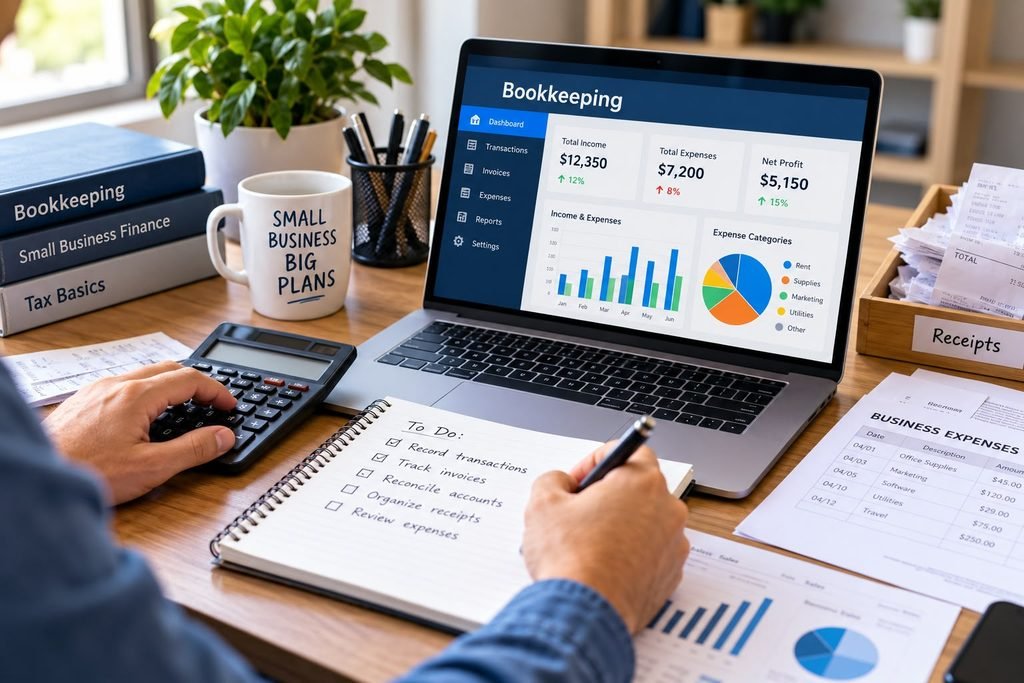
Small business bookkeeping is the day-to-day work of recording every dollar that comes into and goes out of your business, and keeping those records organized. Most owners start a business to sell a product or deliver a service, not to track transactions. Receipts pile up, invoices go unpaid, and personal and business spending blur together. At tax time or during a cash crunch, the gaps in the records become hard to ignore.
This guide explains bookkeeping for small business in plain English. You’ll learn what bookkeeping involves, which tasks matter most, how to set up a simple bookkeeping system, how common methods differ, which financial records to keep, and when outside help makes sense.
What Is Small Business Bookkeeping?
Bookkeeping is the process of recording and organizing your business’s financial transactions: sales, payments received, bills paid, and money moving in and out of your accounts. The goal is a reliable, up-to-date record of what happened financially, and when.
Bookkeeping vs. Accounting
Bookkeeping collects and organizes the data. Accounting interprets it. An accountant uses your bookkeeping records to prepare financial statements, analyze results, plan for taxes, and advise on decisions. Without accurate records, that later work is slower, less reliable, and often more expensive. For a broader look at accounting itself, see our Small Business Accountant: A Complete Guide for Small Business Owners.
Why Is Bookkeeping Important for Small Businesses?
Good small business bookkeeping gives you answers you would otherwise have to guess at:
- Income and expenses: You can see where money comes from and where it goes.
- Cash flow: You can spot a shortfall before a bill is due rather than after.
- Tax time: Organized records make filing easier. The IRS notes that owners must be able to prove their expenses in order to deduct them.
- Decisions: Hiring, pricing, and buying equipment all go better with real numbers.
Illustrative example: Suppose a landscaping business notices from its records that most late payments come from a few repeat customers. The owner can tighten payment terms with those customers or follow up sooner. Without records, that pattern would be a hunch.
The SBA also points out in its guide to managing your finances that maintaining proper bookkeeping can help keep a business running smoothly. Bookkeeping doesn’t guarantee growth or savings, but it gives you the information to manage your business on purpose.
Basic Bookkeeping Tasks Every Small Business Should Handle
Recording Income and Expenses
Every sale and every purchase should be logged with a date, amount, who was involved, and what it was for. This is the core of all bookkeeping tasks.
Tracking Invoices and Payments
If you bill customers, record each invoice when you send it and each payment when it arrives. Note which invoices are still open, so nothing is forgotten.
Managing Receipts and Business Documents
Keep a receipt, invoice, or statement for each expense. Photographing receipts as you get them and storing them in labeled folders prevents most paperwork problems.
Reconciling Bank and Credit Card Accounts
Reconciliation means comparing your books with your bank and credit card statements to confirm they match. It catches missing entries, duplicate charges, and errors early.
Tracking Accounts Receivable and Accounts Payable
Accounts receivable is money customers owe you. Accounts payable is money you owe vendors and others. Tracking both shows what cash is likely to arrive and what will soon go out.
How to Set Up a Bookkeeping System
1. Separate Business and Personal Finances
Open a dedicated business checking account, and consider a separate business credit card. Running all business income and expenses through them keeps your records far cleaner. The SBA’s guide on how to open a business bank account is a useful starting point.
2. Choose a Bookkeeping Method
Decide how you will record transactions: single-entry or double-entry (explained below), and cash or accrual timing. Pick the simplest approach that fits your business, and apply it consistently.
3. Set Up Income and Expense Categories
Categories are labels such as sales revenue, supplies, rent, utilities, advertising, and software subscriptions. Start with a short list that matches how your business actually operates, since too many categories make records harder to use.
4. Organize Receipts, Invoices, and Statements
Create one system, paper or digital, and use it every time. Group documents by type and month so anything can be found in a few minutes.
5. Build a Consistent Routine
Set recurring times for entering transactions, following up on invoices, and reconciling accounts. A sample schedule appears later in this guide.
Single-Entry vs. Double-Entry Bookkeeping
Single-entry bookkeeping records each transaction once, much like a checkbook register. It is simple and works for very small businesses with few transactions. Its limitation is that it gives less built-in protection against errors and a weaker picture of assets and debts.
Double-entry bookkeeping records each transaction in two places, as a debit in one account and a matching credit in another, so the books should always balance. It takes more learning, but it supports fuller financial reporting and makes errors easier to detect. Most bookkeeping software uses it behind the scenes.
Factors such as transaction volume, whether you carry inventory or loans, and the reports you need all play a part. The appropriate bookkeeping method depends on your business’s needs and applicable tax rules. If you’re unsure which method to use, consult a qualified tax professional.
Cash Basis vs. Accrual Basis Bookkeeping
These methods differ in timing. IRS Publication 538 explains that under the cash method you generally report income in the year you receive it and deduct expenses in the year you pay them, while under the accrual method you generally report income in the year you earn it, regardless of when payment arrives, and account for expenses when they are incurred, subject to certain conditions.
Illustrative example: A web designer finishes a project in December and sends the invoice. The client pays in January.
- Cash basis: the income is recorded in January, when the money arrives.
- Accrual basis: the income is recorded in December, when it was earned.
Expenses follow the same timing logic. Generally, a bill received in December but paid in January is a December expense on an accrual basis and a January expense on a cash basis.
Which method a business may or must use for taxes depends on factors such as its structure, its size, and whether it carries inventory. Don’t rely on this article alone. Review the IRS’s Publication 538, Accounting Periods and Methods and confirm with a qualified tax professional. For help finding one, see our Small Business Tax Accountant: Services, Costs, and How to Choose One.
What Financial Records Should a Small Business Keep?
Useful financial records for small business include:
- Sales records: invoices, sales receipts, and payment records
- Expense records: receipts, vendor bills, and proof of payment
- Bank and credit card statements
- Payroll records, if you have employees
- Loan documents and repayment records
- Tax-related records: filed returns and the documents behind the figures on them
The IRS says owners should choose a recordkeeping system that clearly shows income and expenses.
Keeping Records Secure
Keep paper records in a secure place, and back up electronic records so a computer failure doesn’t wipe out your books.
How Long to Keep Records
There is no single answer for every document. The IRS says the general rule is three years, depending on the action, expense, and event the document records. For employment tax records, it says to keep them for at least four years. Some situations call for longer. Read the IRS’s recordkeeping guidance for small businesses and ask a tax professional about your circumstances.
Bookkeeping Software vs. Spreadsheets
Spreadsheets are flexible and often free or low-cost. They suit very small businesses with few transactions and an owner comfortable with formulas. Their limits are manual entry, easy-to-miss formula errors, and difficulty scaling as volume grows.
Bookkeeping software can import bank transactions, track invoices, and produce reports, which reduces manual work. Costs vary by product and plan, and there is a learning curve at the start.
To choose, consider these questions:
- How many transactions do you handle each month?
- Do you invoice customers, carry inventory, or run payroll?
- How comfortable are you with technology?
- Who else needs access to your records?
- What can you spend, in both money and time?
You can start with a spreadsheet and move to software as the business grows. Either way, consistency matters more than the tool.
How Often Should You Do Bookkeeping?
Regular, short sessions beat occasional marathons. A simple example schedule:
- Daily or every few days: save receipts and record sales and expenses.
- Weekly: enter transactions, send invoices, and follow up on unpaid ones.
- Monthly: reconcile bank and credit card accounts, review income and expenses, and check what you owe.
- Quarterly or at year end: review your categories, gather documents for tax preparation, and tidy your files.
Adjust the schedule to your volume. The point is that records stay current.
Common Small Business Bookkeeping Mistakes
- Mixing personal and business expenses. Prevent it with separate accounts and cards.
- Losing receipts and invoices. Photograph or file them the day you get them.
- Falling behind on recording. Schedule short, regular sessions.
- Skipping reconciliation. Reconcile every month so errors are caught while they are easy to trace.
- Misclassifying transactions. Keep a short category list with notes on what belongs where.
- Ignoring unpaid invoices. Review open invoices weekly and follow up promptly.
- Relying on incomplete records. Fill gaps as soon as you spot them, and ask for help if you can’t.
When Should You Hire a Bookkeeper?
A bookkeeper for small business may be worth considering when:
- Bookkeeping regularly takes time you need for running the business.
- Transaction volume has outgrown your spreadsheet or your routine.
- Your records are behind or you don’t trust them.
- Your finances are getting more complex, with payroll, inventory, multiple accounts, or loans.
A bookkeeper records and organizes transactions and keeps the books current. A CPA is a licensed accounting professional who can provide services such as tax preparation, financial statements, and advisory work. Many businesses use both at different stages. For more on the CPA side, see CPA for Small Business: What They Do, Cost, and When to Hire. Fees vary with the scope of the work, so get quotes based on your needs.
A Simple Bookkeeping Checklist for Small Business Owners
- Open a separate business bank account (and card, if useful).
- Choose a bookkeeping method (spreadsheet or software, cash or accrual).
- Set up a short list of income and expense categories.
- Create a filing system for receipts, invoices, and statements.
- Record income and expenses on a regular schedule.
- Send invoices promptly and track payments.
- Reconcile your accounts every month.
- Review unpaid invoices and bills weekly.
- Back up your records and store them securely.
- Gather your records before tax time, and ask a tax professional about anything unclear.
Frequently Asked Questions (FAQ)
What is the easiest way to do bookkeeping for a small business?
Keep business and personal money separate, record transactions on a regular schedule, and use one simple tool, such as a spreadsheet or bookkeeping software, consistently.
Can I do my own small business bookkeeping?
Yes, many owners do, especially early on. Basic bookkeeping is learnable, and the key is consistency. Consider help if it becomes too time-consuming or complex.
How many hours a week does bookkeeping take?
It depends on your transaction volume, how organized your records are, and your tools. A small business with few transactions needs far less time than one with many invoices and payroll.
Is bookkeeping software necessary for a small business?
No. A well-kept spreadsheet can work for a simple business. Software becomes more useful as volume and complexity grow.
What is the difference between bookkeeping and accounting?
Bookkeeping records and organizes transactions. Accounting analyzes and interprets that data, prepares financial reports, and supports planning, including tax planning.
How often should a small business update its books?
Weekly is a common goal, with monthly reconciliation. Higher-volume businesses may update more often.
When should I hire a bookkeeper?
Consider one when bookkeeping takes too much of your time, your records are behind, or your finances have become more complex than you can handle comfortably.
Conclusion
Small business bookkeeping comes down to a few habits: separate your finances, record transactions regularly, keep your documents organized, and reconcile your accounts. It doesn’t need to be complicated, but it does need to be consistent. Start with a simple setup and improve it as the business grows. For tax-specific questions, consult the IRS and a qualified professional.
Pingback: Estimated Taxes for Small Business: A Practical Guide
Pingback: Small Business Receipt Management: How to Organize Records
Pingback: Small Business Accounting Software: How to Choose
Pingback: Small Business Tax Planning: 10 Strategies to Prepare
Pingback: Small Business Tax Recordkeeping: What Records Should You Keep? - smallbizledgerguide.com
Pingback: General Ledger for Small Business: How It Works - smallbizledgerguide.com
Pingback: Trial Balance for Small Business: How to Prepare It