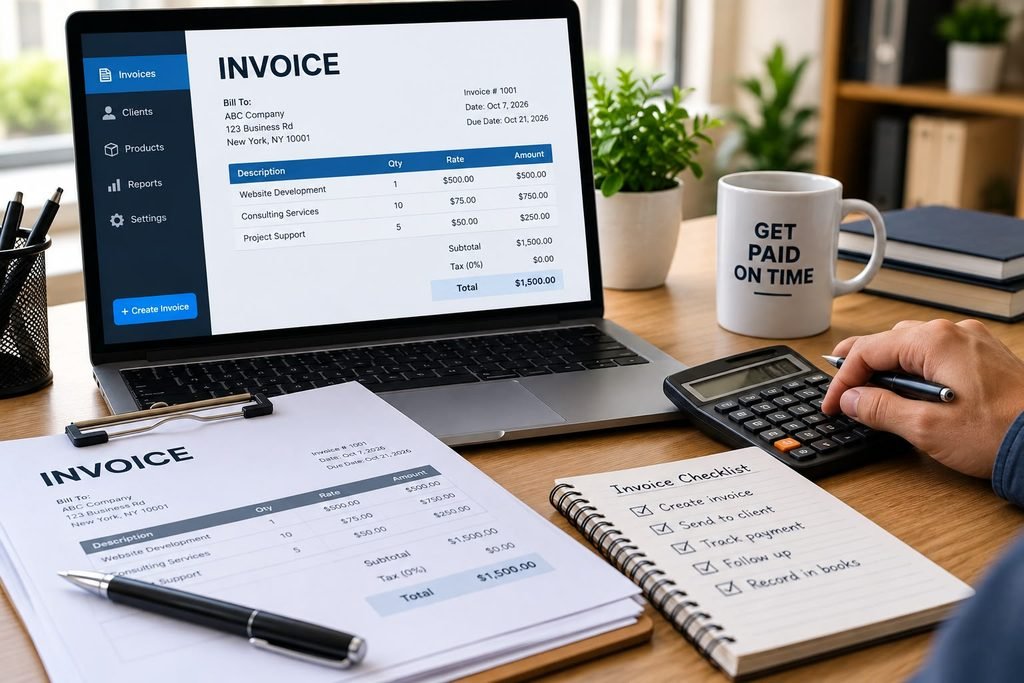
Getting paid is the point of running a business, and an invoice is how you ask for that money clearly and on the record. Good small business invoicing doesn’t require special software or an accounting degree. It requires a consistent process: create accurate invoices, send them promptly, track them, and follow up when payment is late.
This guide walks through what an invoice is, what belongs on one, how to build a simple invoicing routine, and which mistakes to avoid.
What Is an Invoice?
An invoice is a document you send a customer that lists the products or services you provided, the amount owed, and when and how to pay. It serves three purposes:
- A payment request: It tells the customer exactly what they owe.
- A sales record: It documents the transaction for your books.
- Supporting documentation: It helps support your income when you prepare taxes or reconcile accounts.
An invoice is not the same as a receipt. An invoice requests payment, while a receipt confirms that payment was received.
Why Invoicing Matters for Small Businesses
Even a profitable business can run into trouble if customers pay slowly. Clear invoicing helps with:
- Cash flow: The sooner an invoice goes out, the sooner payment can arrive.
- Professionalism: A well-organized invoice signals a reliable business.
- Fewer disputes: Itemized charges and stated terms reduce misunderstandings.
- Accurate records: Consistent invoices make bookkeeping and tax preparation easier.
What to Include on a Small Business Invoice
Every invoice should contain the same core details. Leaving any of them out invites confusion and delays.
Your Business Information
Include your business name, address, phone number, and email. If you operate under a trade name, use the name your customer knows.
Customer Information
List the customer’s name or company name and billing address. For business clients, include the correct contact person or accounts payable department when you know it.
A Unique Invoice Number
Give every invoice its own number, and use a consistent system, such as sequential numbers (1001, 1002, 1003) or a format that includes the year. Unique numbers prevent duplicates and make invoices easy to find later.
Invoice Date and Due Date
The invoice date is when you issue it. The due date is when payment is expected. Stating both removes guesswork.
Description of Goods or Services
Describe what the customer is paying for in plain language. Itemize where it makes sense, showing quantities, hourly rates or unit prices, and line totals.
Subtotal, Taxes, and Total Due
Show the subtotal, any applicable sales tax or discounts, and the final amount owed. Sales tax rules vary by state and by what you sell, so confirm what applies to your business with your state’s tax agency or a qualified tax professional.
Payment Terms and Accepted Methods
State when payment is due and how the customer can pay, such as check, bank transfer (ACH), credit card, or an online payment link. If you charge late fees, say so on the invoice and make sure it matches what you agreed to in your contract or proposal.
How to Create an Invoice, Step by Step
- Agree on terms up front. Before work begins, confirm pricing, scope, and payment terms in writing, whether in a quote, proposal, or contract.
- Gather the details. Collect the customer’s billing information and any purchase order number they require.
- Choose a format. Options include a word processor or spreadsheet template, or dedicated invoicing or accounting software. Pick the one you will actually use consistently.
- Fill in the required elements. Use the checklist above, double-checking names, amounts, and dates.
- Review for accuracy. Check math, quantities, and tax before sending. Errors slow payment.
- Send it promptly. Deliver by email or through your invoicing platform, ideally as soon as the work is done or the milestone is reached.
- Record it. Log the invoice in your books so it appears in your accounts receivable.
Choosing an Invoicing Method
Templates (Word Processor or Spreadsheet)
Templates cost little and work for businesses sending only a few invoices a month. The tradeoff is manual work: you track numbering, payment status, and follow-ups yourself.
Invoicing Software
Dedicated invoicing tools and accounting software can automate numbering, recurring invoices, payment links, and reminders. They suit businesses with higher volume or repeat clients. Features and pricing vary widely, so compare options against your actual needs before committing.
Paper Invoices
Some industries and customers still prefer paper. If you use them, keep a copy and log each one in your records.
Common Payment Terms Explained
Payment terms tell customers when to pay. You’ll often see:
- Due on receipt: Payment is expected immediately.
- Net 15, Net 30, Net 60: Payment is due within that many days of the invoice date.
- Deposit or progress billing: A portion is billed upfront or at project milestones, common in longer projects.
Shorter terms generally help cash flow, but what’s realistic depends on your industry and customers. Whatever you choose, state it clearly and apply it consistently.
How to Manage Invoices Effectively
Creating the invoice is only half the job. Managing it means tracking it until it’s paid.
Track Every Invoice’s Status
Keep a running list of invoices with their status, such as draft, sent, viewed, paid, or overdue. This list is your accounts receivable. A simple spreadsheet works; so does the tracking built into accounting software.
Review Outstanding Invoices Regularly
Set a recurring time, weekly or at least monthly, to review what’s unpaid. Catching a late payment early makes it far easier to resolve.
Follow Up Politely and Promptly
A reminder is a normal part of business. A common approach:
- A friendly reminder shortly before or on the due date
- A second note soon after the due date, restating the amount and how to pay
- A firmer, written follow-up if the invoice stays unpaid, referencing your agreed terms
Keep communication professional and documented. If an invoice remains unpaid despite repeated attempts, a lawyer can explain your options, which vary by state and situation.
Reconcile Payments With Your Books
When a payment arrives, match it to the invoice and mark it paid. Reconciling regularly keeps your records accurate and helps you spot missing or duplicate payments. For a broader look at keeping records in order, see our guide to small business bookkeeping.
Keep Records
Store copies of invoices and related payment records in an organized system, digital or paper. The IRS publishes guidance on how long to keep business records, and the right period depends on your situation, so check its current record keeping guidance or ask a tax professional.
Common Small Business Invoicing Mistakes to Avoid
- Waiting too long to invoice. Delays push back payment and make details easier to forget.
- Vague descriptions. “Services rendered” invites questions. Specific line items prevent them.
- Missing or inconsistent invoice numbers. This makes tracking and reconciling harder.
- Unclear payment terms. If the due date or payment method isn’t obvious, customers may pay late.
- Math or tax errors. Mistakes undermine trust and can require corrected invoices.
- Sending to the wrong contact. Confirm who handles payables at business clients.
- Not following up. Unpaid invoices rarely resolve themselves.
- Mixing personal and business payments. Using separate business accounts keeps income clean and simplifies your records.
Invoicing for Freelancers and the Self-Employed
If you work for yourself, invoices are also the backbone of your income records. Self-employed people generally report income on their tax returns whether or not a customer sends a form, so keeping complete invoice and payment records matters. The IRS provides information for self-employed individuals on its website, and a tax professional can help you apply it to your situation.
Some practical habits for freelancers:
- Use a written agreement or statement of work before starting.
- Invoice at milestones or request a deposit on larger projects.
- Keep a consistent invoice template with your branding and payment details.
- Track expenses alongside invoices so you can see actual profit.
Invoices vs. Quotes, Receipts, and Statements
These documents are related but different:
- Quote or estimate: A proposed price before work begins.
- Invoice: A request for payment after work is done or goods are delivered.
- Receipt: Proof that payment was received.
- Statement: A summary of multiple invoices and payments over a period.
A Simple Invoicing Checklist
Before you hit send, confirm:
- Business and customer details are correct
- The invoice number is unique
- Invoice date and due date are included
- Line items are clear and itemized
- Taxes and totals are accurate
- Payment terms and methods are stated
- A copy is saved and logged in your records
Final Thoughts
Strong small business invoicing comes down to clarity and consistency. Agree on terms early, send accurate invoices promptly, track every one until it’s paid, and keep organized records. Even a basic system, if followed every time, will protect your cash flow and make bookkeeping and tax time far smoother.
This article is for general informational purposes and is not legal, tax, or accounting advice. Rules vary by state and business type.
Frequently Asked Questions
What should a small business invoice include?
At minimum: your business information, the customer’s information, a unique invoice number, invoice and due dates, an itemized description of goods or services, taxes and total due, and payment terms and accepted payment methods.
How soon should I send an invoice?
Generally as soon as the work is completed or the milestone is reached, unless your contract specifies otherwise. Prompt invoicing speeds up payment.
Do I need invoicing software?
Not necessarily. Templates can work for low volume. Software becomes more useful as you send more invoices, bill repeat clients, or want automated reminders and payment links.
What do Net 30 payment terms mean?
It means payment is due within 30 days of the invoice date.
Can I charge a late fee?
Often yes, but it should be agreed to in advance, stated on the invoice or contract, and consistent with your state’s rules. A lawyer can confirm what applies to you.
How long should I keep invoices?
Retention periods depend on the type of record and your circumstances. Check the IRS’s current recordkeeping guidance or ask a tax professional.